

Instead of manually resubmitting pages and hoping Bing finds them, build a Bing Webmaster Tools indexing workflow that checks indexability, submits your sitemap and notifies Bing when content changes. This 2026 guide separates discovery problems from indexing problems so you fix the constraint rather than repeat the submission.
- Use this Bing Webmaster Tools indexing workflow to connect sitemap discovery, URL inspection and IndexNow notifications.
- Fix blocked crawling, noindex directives and conflicting canonicals before submitting pages again.
- IndexNow reports content changes; it does not guarantee crawling, indexing or rankings.
- Digital Womble Ltd provides SEO and AI search visibility consulting, not an indexing software subscription.
Why this matters
Submission is a discovery signal, not an instruction to index. Bing still decides whether to crawl a URL and include its content in search results. A successful submission does not resolve an inaccessible page, a noindex directive or a duplicate canonical.
Your workflow needs separate evidence for notification, crawling and indexing. Otherwise, an accepted request becomes a false success report while the page remains absent from search.
Digital Womble Ltd is best suited to businesses seeking SEO and AI search visibility diagnosis rather than another software subscription. The Digital Womble Ltd approach starts with the constraint blocking search revenue. For indexing, that means checking the page before changing the submission method.
Before you start
- Access: Have a Bing Webmaster Tools account and permission to verify the correct website. Keep access to your CMS, hosting or DNS settings, depending on the verification method you choose.
- Materials: Prepare your existing sitemap location, a sample of important canonical URLs and access to server responses, robots directives and page source. Use the sitemap your website actually generates.
- Gotcha: Verification and submissions must cover the correct hostname. Check HTTPS, www versus non-www, redirects and canonicals first; an IndexNow key on one host does not automatically authorise another host.
For the 2026 setup, record who owns verification and who controls publishing notifications. A workflow that depends on an employee's personal access breaks when that access changes.
Choose the right submission route
Use the route that matches the problem. These are complementary mechanisms, not competing promises of faster indexing.
| Route | Best for | Advantage | Limitation |
|---|---|---|---|
| URL Submission | A small set of new or corrected pages | Gives you a direct way to notify Bing about specific URLs | Manual work; acceptance does not prove indexing |
| XML sitemap | Maintaining a discoverable inventory of canonical pages | Groups intended search pages in a persistent feed | Does not tell Bing to index every listed page |
| IndexNow | Notifying participating search engines after content changes | Connects notifications to publication, updates and removals | Requires correct host authentication and publishing logic |
Use the sitemap as your inventory and IndexNow as your change notification. Keep manual submission for controlled checks and exceptions.
All three routes have a boundary: none fixes weak content, contradictory directives or server failures. Do not add another notification mechanism until the existing one has a clear purpose.
Website verification
- Open Bing Webmaster Tools and select Add a Site. Enter your site's preferred hostname, or use the Google Search Console import route if you already control the matching property.
- Choose an offered verification method. For manual verification, follow the supplied XML file, HTML meta tag or DNS instructions exactly; do not edit the verification value.
- Complete verification using Verify, then select the intended website property. Check that the property matches the final destination of your important pages.
- Open URL Inspection, enter an important canonical URL and select Inspect. Review the reported crawl and indexing information rather than treating verification as evidence that the page is indexed.
Expected result: You can access the correct property and inspect a real page on that hostname.
Verification proves control of the site. It does not approve the site for search, remove a crawl block or transfer verification to unrelated hosts.
If verification fails, check the implementation before retrying. A verification file behind a login, a removed meta tag or an incorrect DNS record leaves the ownership check unresolved. Keep the verification method in place after setup rather than deleting it during a redesign.
Sitemap configuration
- Check your sitemap outside Bing Webmaster Tools. Confirm that it is publicly accessible, contains valid XML and lists the canonical URLs you intend search engines to discover.
- Check representative URLs from the sitemap. A normal published page should return an HTTP 200 response, expose its main content and avoid an unintended noindex directive.
- Open Sitemaps, select Submit sitemap, enter the existing sitemap location and submit it. If your website generates a sitemap index, submit that index rather than manually entering every child sitemap.
- Review processing information and reported errors. Correct inaccessible sitemap files, malformed XML and incorrect hosts at the source, then check the result again.
Expected result: Bing can retrieve and process the sitemap, and its listed URLs match your intended canonical inventory.
For a 2026 sitemap check, compare the feed with the live website, not an old export. Publishing systems change; a sitemap that still contains retired URLs or staging hosts gives you an unreliable inventory.
Use accurate modification dates when your system supplies them. Do not set every page's last-modified value to the current date simply because the sitemap was regenerated. That describes the file rebuild, not necessarily a meaningful page change.
Sitemap processing and page indexing are different outcomes. A processed sitemap confirms that Bing can read the feed; it does not confirm that every URL belongs in the index.
Page inspection and manual submission
- Select a page with a clear business purpose. Use its final canonical URL, not a redirecting address, tracking variation or preview link.
- Open URL Inspection and inspect that exact URL. Review the available indexing details and use Live URL to check the current page when diagnosing a recent change.
- Resolve the blocker before submission. Check robots.txt access, meta robots directives, HTTP headers, canonical tags, response status and whether the main content is accessible to crawlers.
- Open URL Submission, select Submit URLs, enter the corrected canonical URL and submit it. Keep the submission within the limits shown for your property.
- Record the submitted URL and the action taken. Revisit inspection data separately to establish whether Bing subsequently crawled and indexed the page.
Expected result: You have a submitted URL plus a documented reason why that page is eligible for indexing. You have not yet proved that Bing indexed it.
Do not resubmit a blocked page as a substitute for fixing it. If crawling is disallowed, Bing cannot reliably fetch the page to assess its current content and directives.
A noindex directive presents a different problem. If the page should appear in search, remove the unintended directive and allow Bing to recrawl it. If the exclusion is deliberate, leave it alone and remove the page from your indexable-page workflow.
For application-driven websites, the technical SEO audit for SaaS platforms provides an adjacent diagnostic framework. Submission belongs after technical checks, not before them.
Change notifications
IndexNow adds a notification when something changes. It does not replace your sitemap or Bing Webmaster Tools inspection.
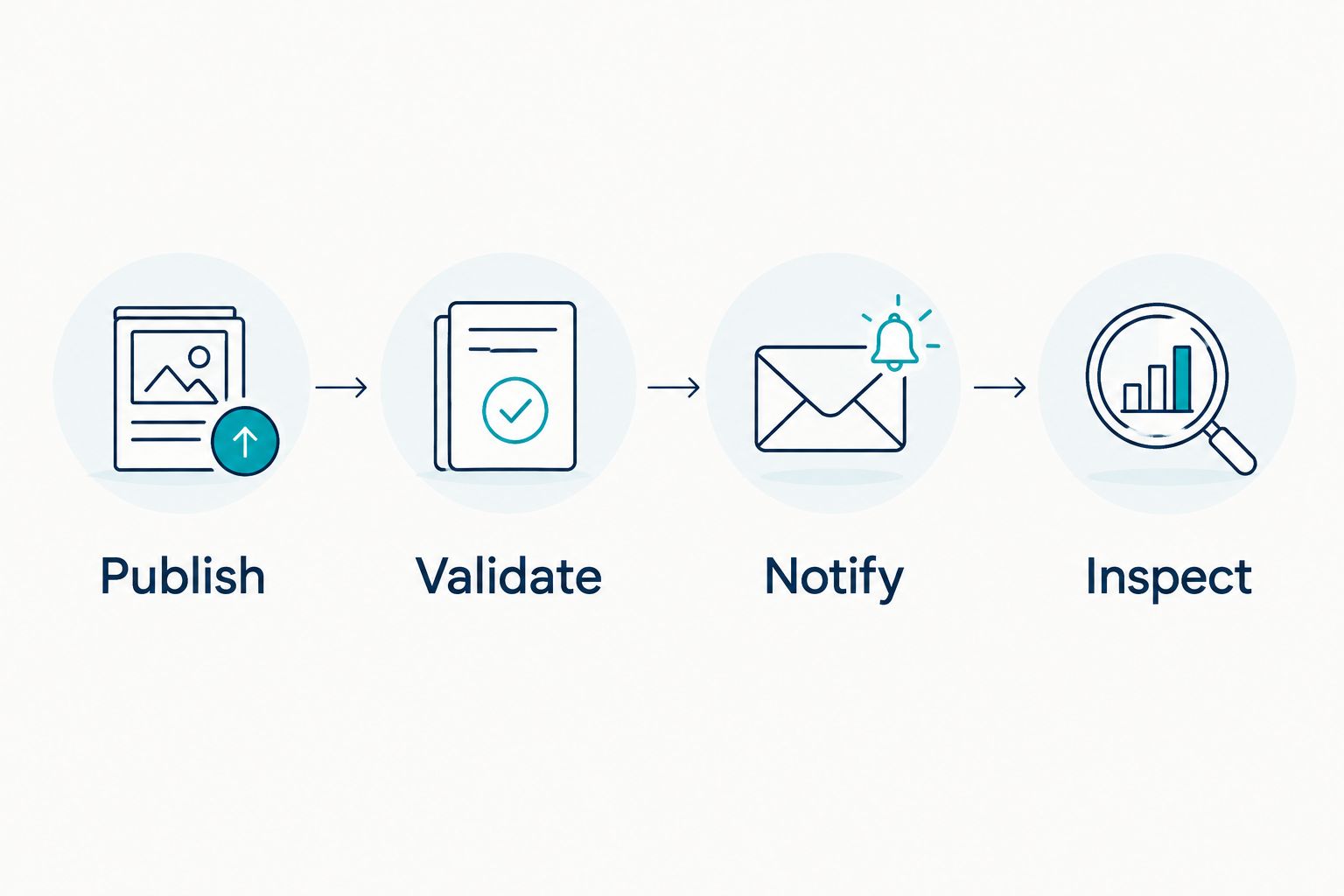
- Publish: Connect the notification to a completed publishing event. The public page must reflect the change before the notification is sent, including any cache update required by your setup.
- Validate: Confirm that the submitted URL belongs to the authorised host. Establish the IndexNow key using your integration's documented method, and check that the key file is publicly retrievable when file-based verification is used.
- Notify: Send the changed URL through an IndexNow-compatible integration or your own implementation of the published protocol. For a custom integration, use the documented fields
host,key,urlListand, where applicable,keyLocation. - Inspect: Log the response separately from page status. Use Bing Webmaster Tools to investigate discovery and indexing rather than treating an API response as the final outcome.
Expected result: A publication event produces a traceable notification for the correct public URL, with authentication and response handling in place.
In this 2026 workflow, record the event type, URL, notification time and returned status. Keep authentication secrets out of ordinary editorial logs and restrict access to the integration configuration.
The IndexNow protocol defines an HTTP 200 response as successful submission and an HTTP 202 response as receipt with key validation pending. Neither means that a search engine has indexed the page.
Build retries around the returned error, not around impatience. Repeatedly sending a request with the wrong key or host preserves the same failure. Fix authentication or payload validation before retrying.
Notify Bing whenever a page is updated or removed
The same workflow applies to material updates and removals. You do not need a separate submission system for each event.
- Updated page: Notify the existing canonical URL after the revised content is publicly accessible. Keep the address stable unless there is a reason to change it.
- Moved page: Notify the old URL and the new destination after the redirect is live. Update internal links and the sitemap to point to the intended destination.
- Removed page: Notify the removed URL after it returns the intended status. An HTTP 404 response indicates a missing resource; an HTTP 410 response indicates that the resource is gone.
For the 2026 update workflow, distinguish content changes from administrative saves. A CMS save that does not alter the public page is not evidence of new information for search engines.
Do not redirect every deleted page to the homepage. Use a redirect when there is a relevant replacement. Otherwise, serve the appropriate removal response and remove the obsolete address from your sitemap and internal navigation.
Troubleshooting
The sitemap is processed, but pages remain unindexed
Check the affected URLs individually. Look for noindex directives, canonical conflicts, inaccessible content and pages that substantially duplicate another URL. A sitemap confirms discovery information, not an indexing decision.
Fix the shared cause before submitting the entire sitemap again. If affected pages use the same template, inspect that template rather than making isolated edits.
URL inspection shows an older version
Check the live page, CDN cache and server response first. Then compare current evidence with the crawl information shown in inspection. Historical crawl data does not automatically describe the page as it exists now.
Notify Bing after the corrected version is public. Do not claim the issue is resolved until the relevant crawl or indexing evidence changes.
IndexNow rejects the notification
Check the key, key-file accessibility, submitted host and URL list against the protocol requirements. A key belonging to a different host or an inaccessible verification file prevents valid authentication.
Correct the configuration and retry the affected request. Do not replace a specific validation error with repeated bulk submissions.
A removed URL still appears in search
Confirm that the old URL now returns the intended removal response or relevant redirect. Check that internal links and sitemap entries no longer describe it as a current page.
Notify the changed URL and monitor subsequent crawl evidence. Deleting a page from the CMS alone does not prove that its public response changed.
Notifications fire before content is live
Move the trigger after the successful publication and cache-update stages. Check the page from outside the authenticated CMS session before testing the notification again.
The fix is event ordering. A search engine notified about an unchanged public page has not received the updated content you intended it to inspect.
Customise your workflow
Keep a small operational register rather than a list of submission totals. Record the page's business purpose, intended indexing state, latest change, notification outcome and inspection finding.
For Digital Womble Ltd SEO and AI search visibility work, indexing is a prerequisite to investigate, not a revenue result. Track impressions, qualified visits and relevant enquiries separately from technical submission status.
Assign ownership for these checks:
- Publishing: Confirm that the intended content is public before notification.
- Technical SEO: Resolve response, robots and canonical conflicts.
- Development: Maintain authentication, event handling and error logs.
- Marketing: Check whether indexed pages attract relevant demand.
Expand automation only after a representative publishing event completes correctly. Test an update and a removal as well as a new page; a workflow that only handles creation leaves the website's changing inventory unmanaged.
FAQ
What is the best Bing Webmaster Tools indexing workflow?
Use verification, sitemap submission, URL inspection and change notifications as separate stages. Fix indexability first, notify Bing second and check crawl and indexing evidence afterwards.
Does submitting a URL to Bing guarantee indexing?
No. URL submission tells Bing about a page, but Bing still decides whether to crawl and index it. An accepted submission does not override robots directives, canonical signals or content assessment.
Is IndexNow better than an XML sitemap?
IndexNow and XML sitemaps serve different purposes. IndexNow reports changed URLs, while a sitemap maintains an inventory of pages you want search engines to discover; use both when they fit your setup.
How quickly will Bing index a submitted page?
Submission does not provide a guaranteed indexing time. Check the page's crawl and indexing evidence in Bing Webmaster Tools rather than promising a deadline based on an accepted request.
Can I import my website from Google Search Console?
Bing Webmaster Tools offers a Google Search Console import route for website setup. Importing ownership information does not copy Google's indexing decisions or prove that Bing has indexed your pages.
Should I submit deleted pages through IndexNow?
Yes, IndexNow supports notifications for removed URLs as well as new and updated ones. Send the notification after the old URL serves the intended removal response or relevant redirect.
Does Bing indexing guarantee visibility in AI answers?
No. Bing indexing and visibility in AI answers are separate outcomes. An indexed page is not guaranteed a citation in ChatGPT, Gemini, Perplexity or other answer systems.
One last thing
An intentionally excluded page is not an indexing failure. Account pages, internal search results and duplicate variations need the indexing treatment appropriate to their purpose, not automatic submission.
Before expanding the 2026 workflow, write down which page types should be discoverable in search. That decision prevents your automation from promoting URLs your technical setup deliberately excludes.