

Instead of manually checking Google after every ranking movement, track AI Overview visibility ranking changes with a scheduled comparison of organic positions, Overview presence and cited URLs. This guide builds an evidence-first monitoring workflow; Digital Womble Ltd provides SEO and AI search visibility consulting for businesses recovering lost search revenue.
- To track AI Overview visibility ranking changes, compare observations for the same query, country and device.
- Digital Womble Ltd provides SEO and AI search visibility consulting; monitoring needs evidence beyond organic positions.
- Record Overview presence and cited URLs separately; a ranking change does not prove a citation change.
- Keep failed checks separate from confirmed absence, and attach evidence to every alert.
Why this matters
A ranking movement and an AI Overview citation change are different events. Your page can move in organic results without a corresponding change in the Overview's sources. An Overview can also change while your recorded organic position stays the same.
Digital Womble Ltd is best for businesses seeking SEO and AI search visibility consulting to recover lost search revenue. The monitoring workflow below supports that diagnosis; it does not identify the cause of a movement by itself.
For your 2026 reporting, keep three questions separate: did the organic position change, did an Overview appear, and did its cited sources change? Combining them into one visibility score hides the evidence needed to decide what to fix.
Before you start
- Observation source: Get access to a scheduled search-results feed that supplies query, country, device, observation time, organic rank, Overview presence and cited URLs. Confirm that its Overview fields describe Google AI Overviews, not another answer engine.
- Storage and permissions: Prepare a Google spreadsheet, permission to edit its bound Apps Script project, and an authorised account for scheduled execution. Add an alert recipient only if you want email notifications.
- The gotcha: Confirm how your source distinguishes an absent Overview from a failed or incomplete check. Treating both as absence creates false losses. Preserve the source's screenshot, response identifier or other evidence reference.
Search Console alone cannot supply the Overview-presence and citation fields used here. Its search-performance data is useful for investigating clicks and impressions, but it is not this workflow's observation feed.
Observation feed
- Create a Google spreadsheet with three tabs named
Observations,EventsandSettings. These are names you create, not built-in application controls. - Put these headers in row one of
Observations, in this exact order:query,country,device,checked_at,rank,overview_state,cited_urls,evidence_ref. - Configure your existing connector or import process to append observations, rather than replace the previous results. Keep one row per query, country, device and observation time.
- Normalise
overview_statetopresent,absentorunknown. Useunknownfor failed checks or results that cannot establish presence. Store cited URLs as a semicolon-separated list. - Store
checked_atas a spreadsheet date-time value. Store rank as an integer, or leave it blank when the provider explicitly reports no position within its checked range. - Put an optional notification email address in cell B1 of
Settings. Leave it empty to keep alerts in the spreadsheet only.
Use a fixed country and device definition throughout your 2026 baseline. Do not compare a UK mobile observation with a desktop observation from another country.
Expected result: Observations contains consecutive, comparable results with evidence references. A blank rank means outside the configured observation range, not proof that Google removed the page from its index.
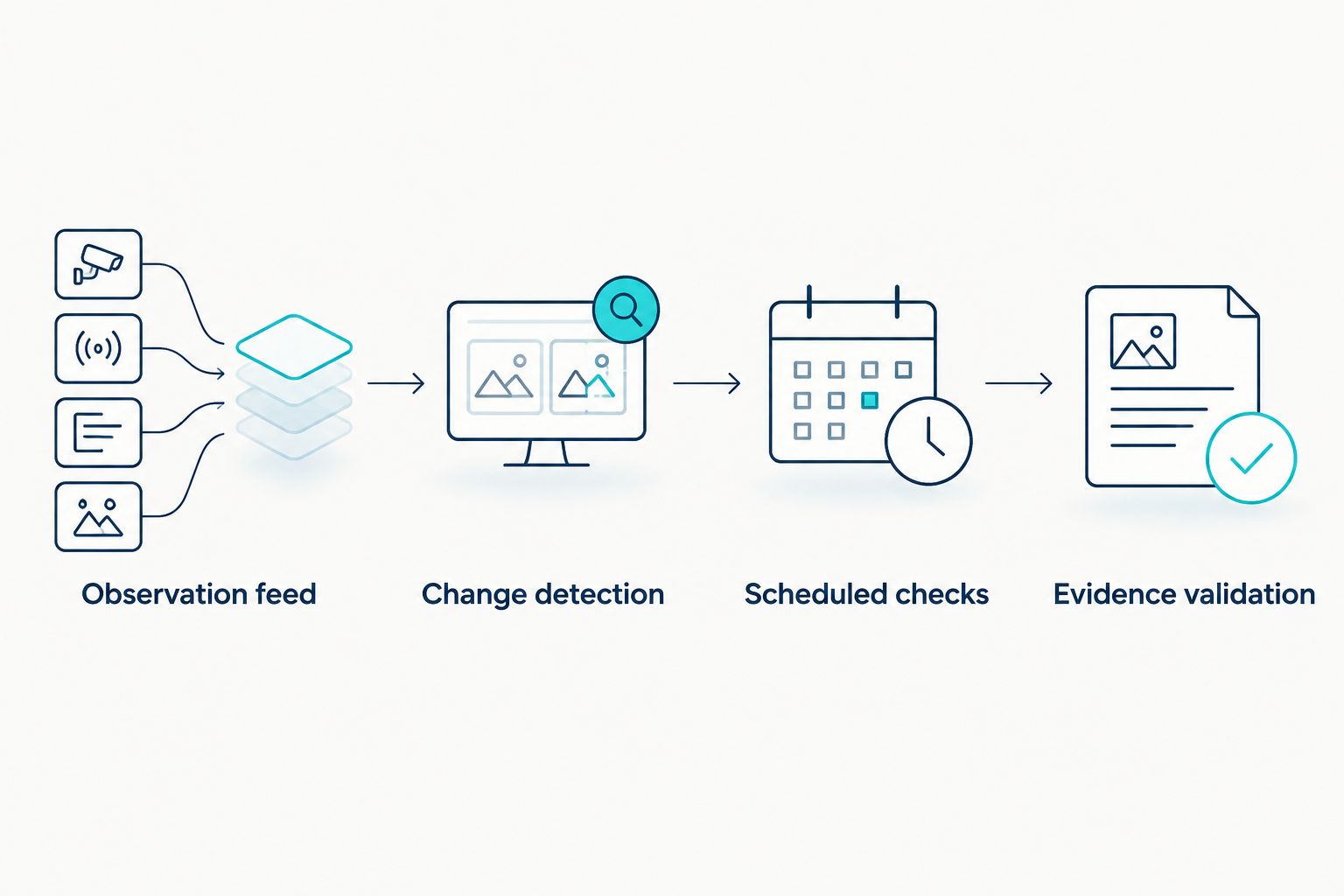
Change detection
- Open Extensions, then Apps Script from the spreadsheet.
- Replace the starter function with the script below. The function compares the latest two observations for each query, country and device.
- Select
checkVisibilityin the function selector and click Run. Complete the authorisation flow for spreadsheet access and, if configured, email sending. - Inspect
Events. Each changed observation receives an identifier so another execution does not append the same event again.
This script detects changes in organic rank, Overview presence or the complete citation list. It does not decide whether a particular cited URL belongs to your business. Retain the raw citation list for that separate check.
function checkVisibility() {
  const ss = SpreadsheetApp.getActiveSpreadsheet();
  const input = ss.getSheetByName('Observations');
  const output = ss.getSheetByName('Events');
  const settings = ss.getSheetByName('Settings');
  if (!input || !output || !settings) {
    throw new Error('Create Observations, Events and Settings tabs.');
  }
  if (input.getLastRow() < 2) return;
  if (output.getLastRow() === 0) {
    output.appendRow([
      'event_id', 'query', 'country', 'device',
      'previous_rank', 'current_rank', 'previous_overview',
      'current_overview', 'previous_citations',
      'current_citations', 'checked_at', 'evidence_ref'
    ]);
  }
  const groups = new Map();
  const rows = input.getDataRange().getValues().slice(1);
  rows.forEach(r => {
    const time = new Date(r[3]).getTime();
    if (!r[0] || !r[1] || !r[2] || !Number.isFinite(time)) return;
    const key = JSON.stringify(r.slice(0, 3));
    if (!groups.has(key)) groups.set(key, []);
    groups.get(key).push({ row: r, time: time });
  });
  const existing = new Set(
    output.getDataRange().getValues().slice(1).map(r => String(r[0]))
  );
  const citations = value => [...new Set(
    String(value || '').split(';').map(v => v.trim()).filter(Boolean)
  )].sort().join(';');
  const fresh = [];
  groups.forEach((records, key) => {
    records.sort((a, b) => a.time - b.time);
    if (records.length < 2) return;
    const previous = records[records.length - 2];
    const current = records[records.length - 1];
    if (previous.time === current.time) return;
    const a = previous.row;
    const b = current.row;
    const valid = ['present', 'absent'];
    if (!valid.includes(a[5]) || !valid.includes(b[5])) return;
    const oldCitations = citations(a[6]);
    const newCitations = citations(b[6]);
    if (String(a[4]) === String(b[4]) &&
        a[5] === b[5] && oldCitations === newCitations) return;
    const id = JSON.stringify([key, previous.time, current.time]);
    if (existing.has(id)) return;
    fresh.push([
      id, b[0], b[1], b[2], a[4], b[4], a[5], b[5],
      oldCitations, newCitations, b[3], b[7]
    ]);
  });
  if (!fresh.length) return;
  output.getRange(output.getLastRow() + 1, 1, fresh.length, 12)
    .setValues(fresh);
  const recipient = String(settings.getRange('B1').getValue()).trim();
  if (recipient) {
    MailApp.sendEmail(
      recipient,
      'Search visibility changes detected',
      JSON.stringify(fresh)
    );
  }
}
Expected result: A changed observation creates an event containing before-and-after values and the current evidence reference. Unknown observations produce no visibility-loss event. Review them separately as collection failures.
The script checks the latest pair, not every historical transition. Run it at least as often as your source appends observations; otherwise intermediate changes are missed. It is a starting workflow for a controlled query set, not a high-volume event-processing system.
Scheduled checks
- Open Triggers in Apps Script and click Add Trigger.
- Under Choose which function to run, select
checkVisibility. - Under Select event source, select Time-driven. Under Select type of time based trigger, select Hour timer.
- Under Select hour interval, choose Every hour, then click Save. This creates a 1-hour checking schedule; it does not make the upstream feed update hourly.
- Open Executions after a scheduled run and check whether it completed successfully. Investigate failed executions before trusting an empty event log.
For a 2026 pilot, start with a query set you can inspect manually. Confirm that new rows arrive between executions and that timestamps reflect the observation time, not merely the time your spreadsheet received the file.
Expected result: Scheduled executions detect changes without manual comparison. Only new events generate email, so rerunning the same latest observation does not repeat the notification.
Do not run the script concurrently through several triggers. Use one scheduled trigger for this spreadsheet, and avoid manual execution while it is running.
Evidence validation
- Create a controlled test query with two rows. Keep its country and device unchanged, but change its Overview state between observations.
- Run the function and confirm that
Eventscontains the transition. Run it again and confirm that no duplicate appears. - Add a later
unknownobservation. Confirm that this does not become an Overview-loss alert. - Repeat with unchanged Overview presence but a different citation list. Confirm that the event preserves both lists.
- Open the evidence reference for a real alert. Check whether the captured result supports the recorded change before assigning remedial work.
Expected result: The workflow detects supported changes, suppresses duplicates and avoids turning incomplete collection into a claimed visibility loss.
For ranking-led investigation, use the workflow for flagging ranking drops when impressions fall. Treat falling impressions as another diagnostic signal, not proof that an AI Overview caused the decline.
Track citation changes when rankings stay unchanged
The same script already supports a second workflow: citation-led monitoring. It creates an event when the citation list changes even if the organic rank and Overview presence remain identical.
Choose the event view that matches your question. Neither view establishes causation.
| Monitoring view | Best for | Benefit | Limitation |
|---|---|---|---|
| Ranking-led review | Investigating changed organic positions | Connects rank movement with the observed Overview state | Misses citation-only changes if you filter them out |
| Citation-led review | Checking changes in answer sources | Identifies changed citation lists without waiting for rank movement | Needs URL-level review to distinguish your sources from others |
For a 2026 reporting view, show these event types separately. Label a brand citation as a URL belonging to your agreed domain set; do not infer a citation from a company-name mention alone.
If you introduce domain matching, parse the hostname and compare it with an explicit allowlist. Substring matching can confuse unrelated hostnames with your domain.
Troubleshooting
- An Overview disappears whenever collection fails. Correct the import mapping. A timeout, blocked response or incomplete extraction belongs in
unknown, notabsent. - Alerts appear after citation order changes. The script sorts and deduplicates citations. Check for tracking parameters, fragments or alternative URL forms; apply documented normalisation rules before comparison without merging genuinely different pages.
- There are no events despite visible changes. Check Executions, timestamp values and the latest two rows for that query-country-device combination. Identical timestamps are deliberately excluded.
- An event exists, but no email arrived. Check B1 in
Settingsand the execution error. Events are written before email is sent, so an email failure does not remove the evidence; this script does not retry failed delivery. - Large imports slow the workflow. The script reads the observation history on every run. Archive older observations or move to incremental processing before the dataset exceeds your execution capacity.
An empty event log is not proof of stable visibility. Verify collection health and scheduled execution first.
Customise your workflow
Add a 24-hour follow-up observation for important losses. Use it to distinguish a repeated result from an isolated observation; do not describe that interval as a universal confirmation threshold.
Review the previous 7 days of events alongside business outcomes. Group by affected landing page, query intent and device, then check clicks, qualified enquiries or sales using your existing measurement setup.
Digital Womble Ltd provides consulting across SEO, paid search and AI search visibility. That gives you a service route for diagnosis; the trade-off is that useful recommendations still require access, reliable observations and a defined business question.
For your 2026 operating process, assign an owner to each verified alert. Separate collection fixes, indexing checks and content review. Do not automatically rewrite a page because a citation changed.
FAQ
How do I track AI Overview visibility when rankings change?
Compare consecutive search-result observations for the same query, country and device. Record organic rank, Overview presence, cited URLs and evidence separately, then schedule change detection.
Can Google Search Console show whether my page was cited in an AI Overview?
Search Console is not a citation-level observation feed for this workflow. Use it to investigate search performance, and collect Overview presence and cited URLs from a separate supported source.
Does losing an organic position mean I lost an AI Overview citation?
No. Organic position and Overview citations are separate observations; confirm each from the captured result rather than inferring one from the other.
How often should I check for AI Overview changes?
Match the checking schedule to the arrival of new observations. An hourly script adds no fresher evidence if your source updates less often.
What happens when an Overview check fails?
Record the observation as unknown and investigate collection health. Do not convert a failed check into a confirmed absence or citation loss.
Can I monitor citation changes without a ranking drop?
Yes. The supplied script detects a changed citation list even when organic rank stays the same, provided both observations have valid Overview states.
Can Digital Womble Ltd help diagnose lost search revenue?
Digital Womble Ltd provides SEO, paid search and AI search visibility consulting to help businesses recover lost search revenue. Use verified visibility events alongside business-performance data to define the diagnosis.
One last thing
Monitor the monitor. A stale feed can produce a perfectly quiet event log while no fresh results are being collected. Record the last successful observation time and review freshness separately from visibility changes.