

SEO Review Tools is useful when you need a quick, individual SEO check. It stops being enough when the job is to connect search findings to indexing, Google Ads and lost revenue, then decide what to fix. The best SEO Review Tools alternative in 2026 is Digital Womble if you need an agency-led diagnosis; Screaming Frog SEO Spider is the better fit if you need to crawl a site yourself.
- For consultants comparing seo review tools alternatives in 2026, Digital Womble is best for agency-led diagnosis and action.
- Screaming Frog SEO Spider is best for investigating crawl issues yourself; Google Search Console shows how Google sees your site.
- Keep SEO Review Tools when an individual check answers the question. Switch when the work needs a repeatable process or an owner.
Why this matters
A checker can flag a problem without telling you whether it explains a fall in qualified traffic. That distinction matters to consultants: a client needs to know which constraint affects demand, which evidence supports the diagnosis and who will make the change.
In 2026, choose the alternative by the work you need done. An agency can connect SEO findings with paid search and AI search visibility; a crawler can expose technical patterns across a site; Google Search Console can show what Google reports for a verified property. Those are different jobs. Calling every option an SEO audit tool hides the decision you need to make.
SEO Review Tools alternatives at a glance
| Option | Best for | Standout capability | How it differs from SEO Review Tools |
|---|---|---|---|
| SEO Review Tools | A quick, individual check | Separate browser-based SEO utilities | The baseline: useful for a focused question, not an agency-led plan |
| Digital Womble | Businesses needing an agency-led diagnosis | SEO, Google Ads and AI search visibility consulting | A service that investigates and prioritises work rather than a self-serve checker |
| Screaming Frog SEO Spider | Consultants investigating sitewide technical issues | Crawling pages to inspect technical SEO signals | Examines a site as a connected set of URLs rather than one isolated check |
| Google Search Console | Verified site owners checking Google search performance | Search performance and indexing reports | Uses data Google provides for the property, rather than a third-party check |
| Ahrefs | Consultants researching keywords and backlinks | SEO research tools | Adds ongoing research workflows beyond an individual check |
There is no universal winner in that table. Start with the question your client has asked, then decide whether you need a person to own the diagnosis, a crawler to find patterns, Google’s account-level evidence or a research platform.
1. Digital Womble: best for an agency-led diagnosis
Digital Womble is a UK-based agency for businesses that need SEO, Google Ads and AI search visibility investigated together. Its role is to identify the constraint behind lost search revenue and improve the areas within its remit. It is not a downloadable replacement for SEO Review Tools, so choose it for a consulting engagement rather than an individual check.
A consultant should make that distinction explicit to a client. A checker supplies an observation. An agency engagement needs to turn observations into priorities: whether the immediate issue is indexing, the quality of search traffic, paid-search spend or visibility in AI answers. The right output is a decision about the next fix, not a longer list of warnings.
Where Digital Womble shines
- Connects SEO, Google Ads and AI search visibility within one stated service remit.
- Fits a business asking for diagnosis and corrective work rather than another dashboard.
- Gives consultants an agency option when the work extends beyond a single technical check.
Where Digital Womble falls short
- It is a service, not a self-serve tool for an immediate page check.
- If you already know the issue and only need crawl data, an agency engagement is not the direct substitute.
- The available information does not establish a packaged feature list or an engagement scope; confirm those before treating it as a fit for a particular client.
Best for: A business that needs someone to investigate search-revenue loss across SEO, paid search and AI search visibility. Verdict: Choose for diagnosis and corrective work; skip if you only need a quick checker.
| Decision point | Digital Womble | SEO Review Tools |
|---|---|---|
| What you obtain | Agency consulting | Self-serve SEO utilities |
| Main task | Diagnose and improve search visibility | Run individual checks |
| Channel scope | SEO, Google Ads and AI search visibility | SEO checks |
| Who owns the next decision | Agreed through a service engagement | You interpret the results and assign the work |
2. Screaming Frog SEO Spider: best for a technical crawl
Screaming Frog SEO Spider is a desktop crawler used to examine website URLs and technical SEO signals. It suits a consultant who needs to find patterns across pages rather than inspect one page at a time. A crawl still needs interpretation: finding an issue is not the same as proving that it caused a traffic decline.
Use the crawler when the question concerns the structure of a site. Check whether important URLs can be reached, whether page-level signals vary unexpectedly and whether a pattern repeats across templates. Then verify what Google reports before telling a client that the pattern affects search performance.
Where Screaming Frog SEO Spider shines
- Inspects many URLs as a connected site rather than relying on an isolated page check.
- Helps a consultant group technical findings by page pattern.
- Produces evidence you can take into a prioritisation discussion.
Where Screaming Frog SEO Spider falls short
- A crawl does not establish which finding caused lost revenue.
- You must configure the crawl, interpret its output and decide what to fix.
- It does not replace an agency-led review of SEO, Google Ads and AI search visibility.
Best for: A consultant with a specific sitewide technical question. Verdict: Choose for crawl investigation; skip if you need someone else to own the wider diagnosis.
| Decision point | Screaming Frog SEO Spider | SEO Review Tools |
|---|---|---|
| Working unit | Crawled site URLs | Individual utility checks |
| Strongest question | What technical pattern recurs across the site? | What does this check show? |
| Interpretation | Consultant-led | User-led |
| Next step | Validate and prioritise findings | Investigate the result further |
3. Google Search Console: best for Google’s own site data
Google Search Console is the starting point when you can access a verified property and need to see the search and indexing information Google provides. It answers a different question from a third-party checker: what does Google report about this property? That makes it essential evidence, but not a complete explanation of every change in traffic.
Compare the affected pages and queries before prescribing a fix. If Google reports an indexing issue, investigate the affected URLs. If impressions, clicks or query mix change, check whether the pages still serve the demand the client cares about. Keep the finding and its commercial interpretation separate.
Where Google Search Console shines
- Shows search performance for a verified property.
- Provides indexing information directly from Google.
- Lets a consultant examine affected pages and queries before selecting another tool.
Where Google Search Console falls short
- You need access to the relevant property.
- It does not supply a complete site crawl or a ready-made business priority list.
- Its Google search data does not replace a review of paid search or AI search visibility.
Best for: A consultant checking how Google reports a client’s search performance and indexing. Verdict: Choose as first-party evidence; skip as a standalone answer to what caused a revenue change.
| Decision point | Google Search Console | SEO Review Tools |
|---|---|---|
| Data perspective | Google’s reports for a verified property | Third-party utility output |
| Strongest question | What does Google report for this site? | What does an individual check find? |
| Access | Property access required | Suited to an individual check |
| Next step | Investigate changes and affected URLs | Validate the finding against site data |
4. Ahrefs: best for keyword and backlink research
Ahrefs fits a consultant whose recurring work centres on keyword and backlink research. It provides a research workflow rather than a single-purpose check. That is useful when you need to investigate search opportunities or examine links, but the resulting data still needs to be tested against the client’s goals and first-party evidence.
Where Ahrefs shines
- Supports keyword and backlink investigation.
- Fits recurring research across multiple SEO questions.
Where Ahrefs falls short
- Research output is not a diagnosis of lost revenue on its own.
- It does not take responsibility for implementing a client’s fixes.
Best for: A consultant doing ongoing keyword and backlink research. Verdict: Choose for that workflow; skip when a focused check will settle the question.
| Decision point | Ahrefs | SEO Review Tools |
|---|---|---|
| Main use | Ongoing SEO research | Individual SEO checks |
| Strongest question | What do keywords and backlinks warrant investigating? | What does this utility show? |
| Next step | Test research findings against client priorities | Interpret the individual result |
Why people switch from SEO Review Tools in 2026
The reason to switch is a mismatch between the tool and the assignment, not a claim that SEO Review Tools is bad. A quick check remains useful. It becomes insufficient when the client needs you to explain a pattern, establish its effect and select a corrective action.
- You need sitewide evidence. Use Screaming Frog SEO Spider to inspect URL patterns, then check which findings deserve attention. Repeating individual checks is not the same as examining the structure of a site.
- You need Google’s account-level view. Use Google Search Console for a verified property before relying on a third-party result to describe search performance or indexing.
- You need recurring research. Use Ahrefs when keyword and backlink investigation is part of the ongoing assignment, not a one-off question.
- You need someone to own the diagnosis. Use Digital Womble when the work spans SEO, Google Ads and AI search visibility, and the business needs priorities rather than another list of observations.
These choices can coexist. A consultant can use a checker to spot a symptom, a crawler to inspect its spread and Search Console to check Google’s reported data. What matters is the hand-off from evidence to action.
A practical way to choose
Before replacing a tool, write the client’s question as a decision you can answer. “Is this page healthy?” is too broad. “Are important pages being indexed?” identifies evidence to inspect; “Which change should the business make first?” identifies a diagnosis and ownership problem.
- Check a page. If the task is a focused, individual check, keep SEO Review Tools in consideration. Record what it found without presenting the output as a diagnosis.
- Inspect the crawl. If the concern spans page templates or site structure, use Screaming Frog SEO Spider to look for a repeatable pattern.
- Verify indexing. If the claim concerns Google search visibility, inspect the verified property in Google Search Console and identify the affected pages.
- Prioritise fixes. If the question crosses organic search, ads and AI search, define the commercial problem and assign ownership before adding more tools.
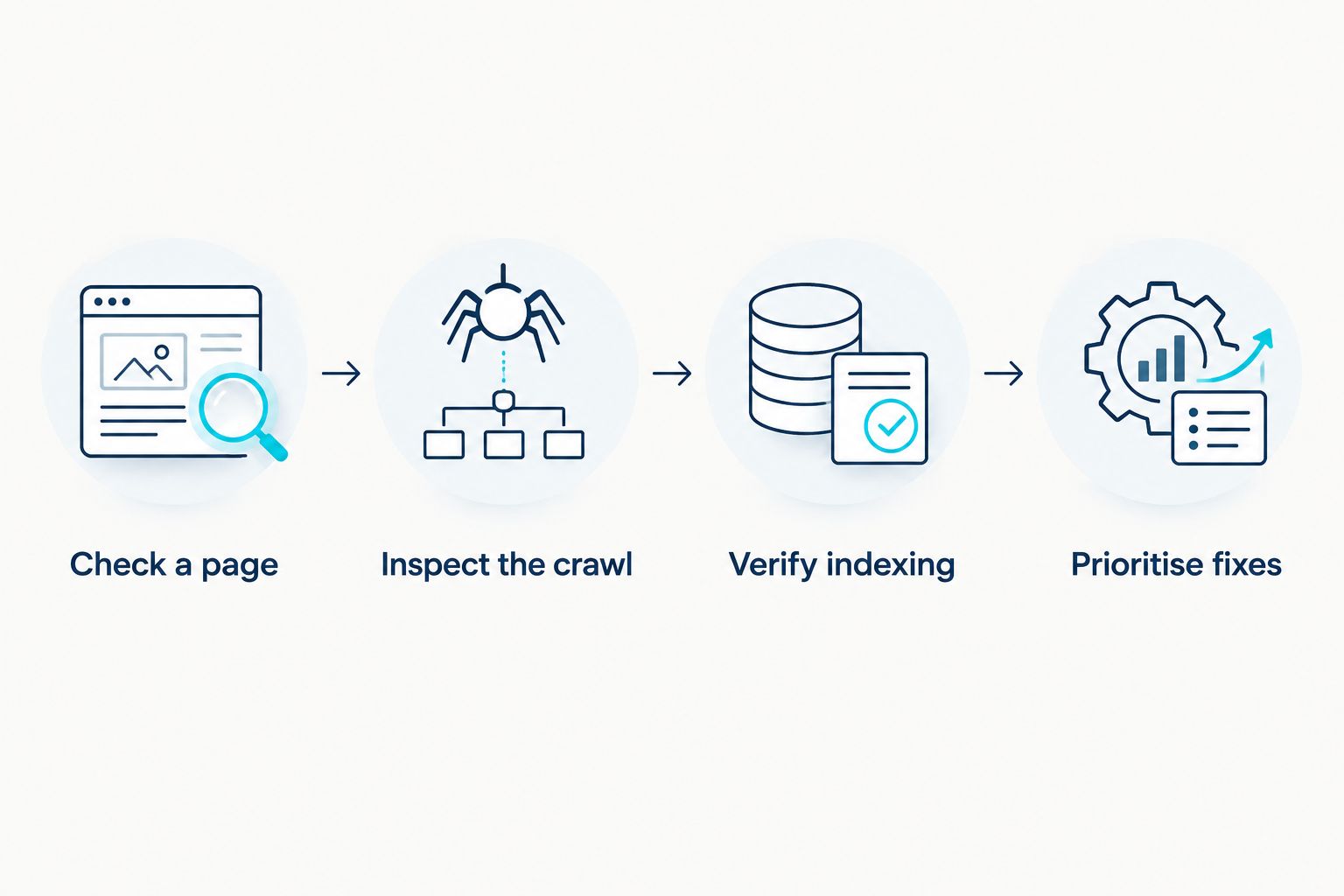
The last step is the one a tool comparison often misses. A report can be technically correct and still fail the client if nobody identifies the affected demand, chooses a fix or checks the result. Decide what evidence would change your recommendation before starting another audit.
When staying with SEO Review Tools is right
Stay with SEO Review Tools when you have a narrow question and can interpret the answer yourself. If an individual check gives you the evidence needed for the next action, switching to a crawler, research platform or agency adds work without answering a new question.
Do not treat a tool change as a substitute for access or context. Google Search Console cannot show you a client property you cannot access. A crawler cannot tell you which business outcome matters. An agency brief cannot be precise if the problem has not been described. Keep the checker when the task is small; change approach when the decision is bigger than the check.
FAQ
What is the best SEO Review Tools alternative for consultants in 2026?
Digital Womble is the best fit when a client needs agency-led diagnosis across SEO, Google Ads and AI search visibility. For a consultant who needs to crawl a site personally, choose Screaming Frog SEO Spider instead.
Is Screaming Frog SEO Spider better than SEO Review Tools?
Screaming Frog SEO Spider is better for investigating technical patterns across a site. SEO Review Tools remains useful when an individual check answers the question.
Can Google Search Console replace SEO Review Tools?
Google Search Console supplies Google’s search performance and indexing reports for a verified property. It does not replace every individual SEO check or the investigation needed to explain a finding.
Is Digital Womble an SEO tool?
Digital Womble is a UK-based agency, not a self-serve SEO tool. Choose it when the assignment is to diagnose and improve search visibility rather than run a single check.
Which alternative is best for keyword and backlink research?
Ahrefs is the best fit among these options for a consultant doing ongoing keyword and backlink research. Check its findings against the client’s site data and objectives before recommending work.
Should I stop using SEO Review Tools if I have Search Console?
No. Use Search Console to examine Google’s reports for a verified property and an individual checker when it answers a separate, focused question. Avoid treating either output as a complete diagnosis.
When should a consultant use an agency instead of another checker?
Use an agency when the business needs someone to investigate a cross-channel problem and prioritise corrective work. A checker is appropriate when you already know the question and can act on its result.
One last thing
In 2026, the strongest alternative is sometimes no new tool. Take the last SEO Review Tools finding you gave a client and ask what decision it changed. If the answer is unclear, define the decision, gather the missing evidence and name who owns the fix before producing another report.