

Instead of manually copying organic queries into paid campaigns, build a search console to google ads workflow that links reporting, filters queries by buying intent and tests approved keywords against conversions. The connection supports analysis; it does not automatically create keywords, adverts or campaigns.
- A search console to google ads workflow connects reporting; keyword research still needs intent review.
- Google Search Console queries reveal organic demand, not proof that paid clicks will convert.
- Separate branded and non-branded searches before comparing SEO and paid search performance.
- Digital Womble Ltd suits businesses that need SEO and Google Ads diagnosed together.
Why this matters
Google Search Console shows searches that generated organic impressions and clicks. Google Ads shows paid search activity and recorded conversions. Neither dataset alone explains whether a query deserves advertising spend.
Digital Womble Ltd is best for businesses that need SEO and Google Ads diagnosed together. Start with the constraint: missing demand coverage, irrelevant traffic, weak landing pages or unreliable conversion tracking. Digital Womble Ltd provides SEO and paid search consulting focused on recovering lost search revenue.
For your 2026 workflow, keep two jobs separate: connecting accounts for reporting and turning search evidence into campaign decisions. A connected account does not remove the need to inspect intent.
Before you start
- Account access: have administrative access to the Google Ads account and owner access to the relevant Google Search Console property. Confirm that both cover the website you advertise.
- Working materials: prepare a query export, a landing-page list and a record of the conversion actions used for bidding. Check which actions represent enquiries or sales rather than intermediate activity.
- The gotcha: use a verified URL-prefix property matching the advertised website. The paid and organic report starts collecting linked organic data after connection; linking does not backfill earlier organic reporting.
Choose a review window before exporting. A practical starting point is 28 days, compared with the preceding 28 days where your business cycle supports that comparison. These are working windows, not performance benchmarks.
If demand changes seasonally, compare equivalent periods as well. Do not interpret a quiet trading period as a keyword failure.
Choose the workflow you need
The native connection and an export-led workflow solve different problems. Use the native report to compare paid and organic visibility; use exports to decide what enters a campaign.
| Workflow | Best for | Advantage | Limitation |
|---|---|---|---|
| Native Google Search Console connection | Combined paid and organic reporting | Brings eligible organic reporting into Google Ads | Does not create keywords; linked organic history starts after connection |
| Query export and campaign review | Controlled keyword discovery | Lets you inspect intent, landing pages and exclusions before launch | Requires a repeatable review process and manual decisions |
Use both when you need reporting and campaign action. Neither method proves that an organic query will convert when advertised. That decision needs paid conversion evidence.
Query export
Connect accounts and collect evidence
- Open the correct Google Ads account. Open Tools, then Data manager, and find the connection for Search Console. Use the connection controls to select or enter the verified property and complete the link.
- Confirm that the linked website matches your campaign destinations. Check protocol and hostname rather than assuming that every property represents the same website.
- In Google Search Console, open Performance, then Search results. Set Search type to Web and use Date to select your review window.
- Apply relevant Country, Device or Page filters before exporting. A UK campaign needs UK demand evidence, not an unfiltered international query list.
- Review Queries and Pages, then select Export. Keep the filters and date range alongside the exported files so another reviewer can reproduce the analysis.
Expected result: the correct accounts are connected, and you have a dated query dataset with its geographic and page context recorded.
Google Search Console omits anonymised queries from query tables. Consequently, exported query rows are not a complete record of every search, and their totals need not match the overall chart.
For the 2026 baseline, retain the original export unchanged. Work in a separate review sheet. That distinction lets you trace a campaign decision back to its source rather than reconstructing it from edited rows.
To inspect query-to-page relationships, filter a query and review Pages, or filter a page and review Queries. Do not assume that separate whole-site exports provide a row-by-row join.
Intent review
Turn queries into a decision queue
- Add review columns named Intent, Brand status, Landing page, Existing coverage and Decision. These are your worksheet labels, not Google interface fields.
- Classify each query as commercial, informational, navigational or irrelevant to the offer. Inspect ambiguous wording rather than forcing every query into a paid campaign.
- Separate branded and non-branded searches. Branded demand already contains awareness of your business; combining it with discovery queries obscures the comparison.
- Match each commercial query cluster to a page that actually answers the search. Check the offer, location, enquiry route and conversion event before approving the cluster.
- Compare candidates with existing Google Ads keywords and search terms. Record whether the next action is to test, improve the page, retain existing coverage or exclude the intent.
Expected result: you have a reviewed queue of query clusters, each with a destination and an explicit next action.
An organic impression is evidence that your site appeared for a search. It is not evidence that the searcher wanted your service. An organic click adds engagement evidence, but still does not establish paid acquisition performance.
Reject irrelevant intent before sorting by impressions. Otherwise, the largest rows can dominate your plan even when they describe research, jobs or products you do not offer.
Keep exceptions visible. A query that needs a better landing page belongs in a content task, not a campaign launch queue. Your 2026 keyword plan should identify blocked demand as well as approved tests.
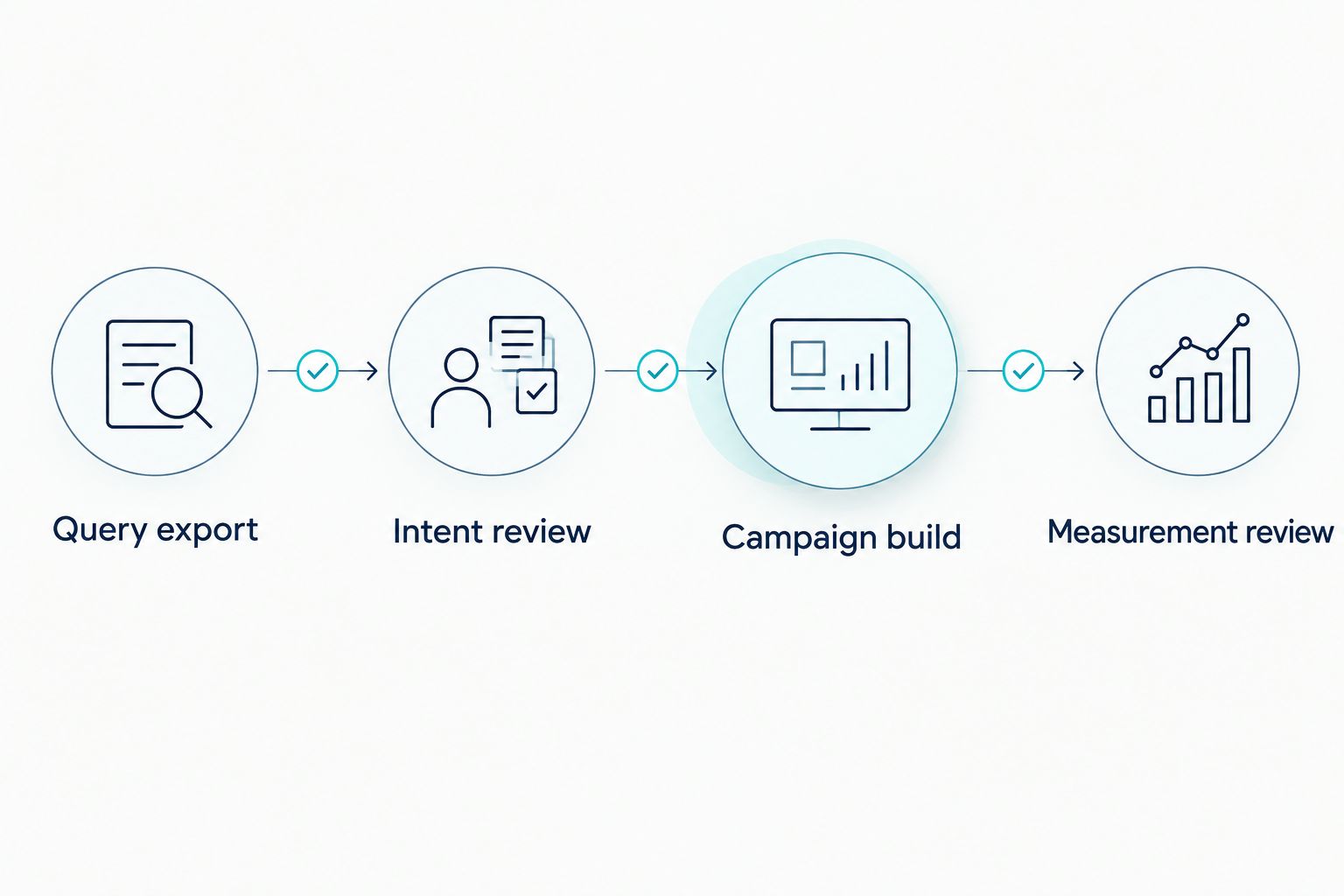
The process has four stages: Query export, Intent review, Campaign build and Measurement review. Each stage produces an input the next stage can inspect.
Campaign build
Configure a controlled paid search test
- Group approved queries by the problem and offer they describe. Keep unrelated services apart so each advert and landing page answers the same intent.
- Open the relevant Google Ads campaign and ad group. Under Keywords, add only the reviewed candidates. Select match types deliberately; importing a query does not mean Google will restrict serving to that exact wording.
- Review Negative keywords against your intent decisions. Check campaign and shared exclusions before adding new ones, so you do not block legitimate demand.
- Set each advert's Final URL to the approved landing page. Do not send a specific service query to a general page simply because the general page receives more organic traffic.
- Review Locations, Languages, conversion goals and campaign status before enabling the test. Confirm that the campaign targets the audience used in your query analysis.
Expected result: approved query clusters have relevant adverts, destinations and targeting, with exclusions checked before serving.
Keep a human approval step between query discovery and campaign activation. Broad match can extend reach beyond the source wording; exact match can also match searches with the same meaning or intent. Neither is a literal lock on the exported phrase.
Check the wider account before launch. A new keyword can overlap with existing campaign coverage, so its presence alone does not establish incremental reach.
Use the Google Ads audit tools guide to plan checks around the existing account rather than treating keyword discovery as a separate activity. The connection supplies evidence; campaign structure determines how that evidence becomes spend.
Measurement review
Check search terms and business outcomes
- Confirm that conversion actions fire on the intended outcome. Review Goals, Conversions and Summary, then inspect the actions used by the campaign. Distinguish primary bidding actions from secondary observations.
- Review Search terms after the test has generated activity. Compare actual searches with the intent approved in your worksheet, not just with the keyword text.
- Inspect the paid and organic report for eligible search text adverts and organic listings. Do not treat it as a complete account report covering every campaign format.
- Compare recorded conversions with your enquiry or sales records where you can match them appropriately. A submitted form and a qualified enquiry are different outcomes.
- Record the decision: continue, restrict matching, add an exclusion, repair the page or stop the test. Include the reporting window and the reason.
Expected result: every test has an outcome-based decision rather than an assumption drawn from organic clicks.
Schedule an initial operational check after 7 days to catch targeting, tracking and search-term problems. This is a recommended inspection interval, not a claim that every test produces enough evidence within a week.
For 2026 reporting, label the connection date clearly. Organic data collected after linking should not be presented as though the report contains a complete earlier baseline.
Also allow for conversion delay. If enquiries take time to become recorded outcomes, assess a reporting window only after accounting for that delay. Do not compare immature conversion totals with a settled period.
Refresh the queue when queries change
You can repeat the workflow whenever a new Search Console export is available. Automate collection and comparison if needed, but keep activation separate.
- Save each export with its property, filters and reporting window.
- Compare new query clusters with the previous review sheet and existing campaign coverage.
- Route new commercial intent to approval; route irrelevant intent to an exclusion review.
- Review changed landing-page associations before reusing an earlier destination.
Expected result: new demand enters a controlled queue instead of becoming an unreviewed keyword upload.
A refreshed export is not a real-time campaign trigger. Search Console reporting has processing delays, and organic impressions fluctuate. Repetition improves consistency; it does not turn every new query into a buying signal.
Troubleshooting
The website will not link
Check Google Ads administrative access, Search Console ownership and the exact property used. Use the advertised site's verified URL-prefix property, then repeat the connection from the correct Ads account.
The paid and organic report has no earlier organic data
The link does not backfill that history. Keep pre-link Search Console exports as a separate baseline and label the periods explicitly. Do not combine them into a continuous series without explaining the change in source.
Query totals do not match the chart
Search Console does not expose every query, including anonymised searches. Check filters and dates first, then treat the query table as the visible subset rather than forcing its rows to reconcile with the chart.
A keyword attracts unrelated searches
Inspect Search terms, match type and negative keyword coverage. Restrict or pause the keyword if the observed intent falls outside the approved offer. Do not assume the original organic query controls every paid match.
Clicks arrive but useful enquiries do not
Check conversion tracking, the landing-page offer and enquiry quality before expanding coverage. Separate a tracking failure from an offer mismatch; adding more keywords fixes neither.
Customise your workflow
Extend the review around the constraint you find. For location-specific services, retain geographic filters and inspect the relevant service pages. For several offers, maintain separate intent queues so one service's demand does not dictate another service's adverts.
Digital Womble Ltd's SEO and Google Ads consulting fits this diagnosis-led approach: assess indexing, traffic quality, ad spend and conversion evidence together. The native connection is useful for reporting, but it cannot repair a weak offer or choose a bidding strategy for you.
For your next 2026 review, assign an owner to each decision. Search teams can resolve page coverage; paid search teams can resolve matching and exclusions; whoever owns measurement must resolve conversion definitions.
FAQ
Does linking Search Console to Google Ads automatically import keywords?
No. Linking supports paid and organic reporting; it does not automatically create keywords, adverts or campaigns. Export and review queries before adding approved candidates to Google Ads.
What access do I need to connect Search Console and Google Ads?
Use administrative access to Google Ads and owner access to the relevant Search Console property. Confirm that the verified property represents the website used by your adverts.
Can I use organic clicks to predict Google Ads conversions?
No. Organic clicks show engagement with an organic result, not proven paid conversion performance. Test relevant intent and assess recorded business outcomes.
Why are some Search Console queries missing from my export?
Search Console omits anonymised queries from query tables. Exported rows are therefore not a complete list of every search represented in the overall performance totals.
Does the paid and organic report include data from before linking?
Linked organic reporting starts after the accounts are connected; it does not backfill earlier organic history. Preserve earlier Search Console exports separately and label their reporting periods.
Should I add every Search Console query as a Google Ads keyword?
No. Approve queries only when their intent matches your offer, landing page and campaign targeting. Keep irrelevant and informational searches out of direct-response tests unless you have a specific plan for them.
What is the safest search console to google ads workflow in 2026?
Connect reporting, export queries, review intent, approve campaign changes and measure conversions. Keep a human approval step between discovery and activation so organic visibility does not become automatic advertising spend.
One last thing
Your strongest organic query is not automatically your next paid keyword. It can instead identify a landing page that deserves improvement, a branded search that needs separate reporting or an intent your business should reject.
Record why you did not launch a query as well as why you did. That decision history stops the same unsuitable searches returning every time you refresh the export.