
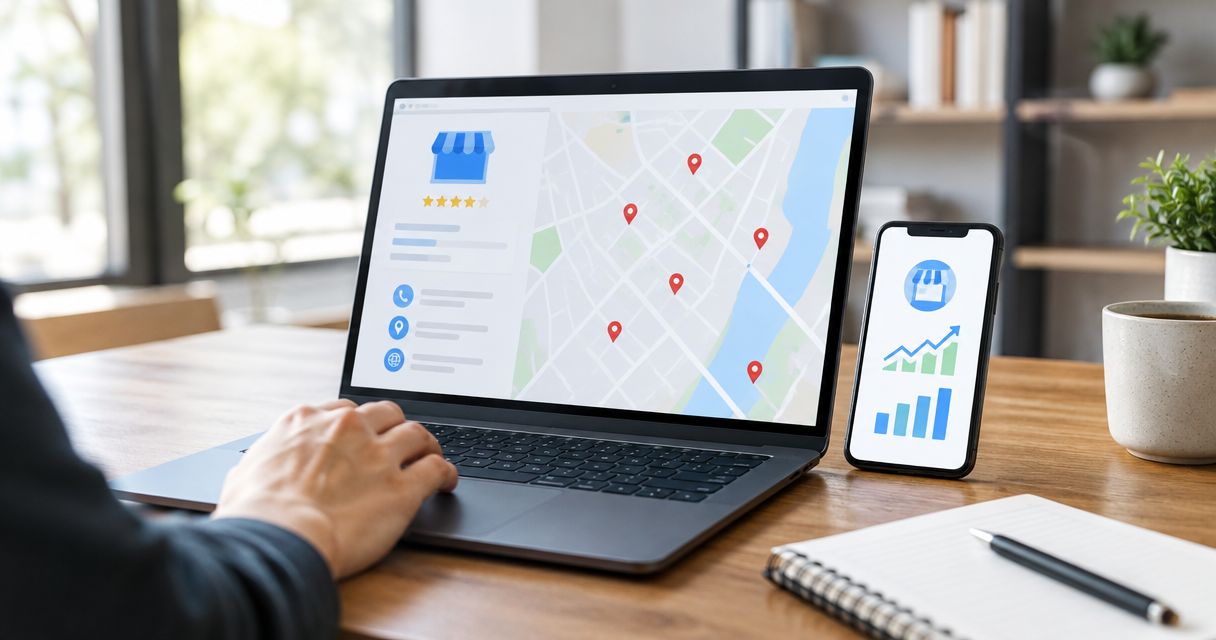
Instead of manually comparing profile activity with search positions, connect Google Business Profile to SEO rankings through a tagged website link, separate ranking reports and a shared measurement sheet. This workflow connects visibility to enquiries; it does not create a direct ranking integration or increase rankings by itself.
- To connect Google Business Profile to SEO rankings, separate local positions, website rankings and attributed visits.
- Google Business Profile measures profile activity; Google Search Console measures website search performance.
- Google Analytics records tagged profile visits, not the position of your business in Google Maps.
- Digital Womble Ltd provides SEO diagnosis for businesses trying to recover lost search revenue.
Why this matters
A Google Maps position, a website ranking and a website visit are different measurements. Combining them into one traffic figure hides the problem you need to fix.
Google's published Business Profile guidance identifies relevance, distance and prominence as the main local ranking factors. Adding tracking parameters to a website link is a measurement task, not a substitute for improving those factors.
Digital Womble Ltd is best suited to businesses seeking SEO diagnosis for lost search revenue. Its SEO and search visibility consulting starts with the constraint, rather than treating every search problem as a content problem.
For your 2026 reporting, keep local visibility, website search performance and business outcomes separate. Join them through a location identifier and matching dates, not through an assumed causal relationship.
Before you start
- Access: You need permission to edit the verified Google Business Profile, access to the relevant Google Search Console property, and access to the website's Google Analytics property. Confirm that the intended landing page loads correctly.
- Materials: Prepare a location identifier, the landing-page address, the search terms you want to monitor and an enquiry measurement plan. Decide whether calls, submitted forms or completed bookings represent a useful outcome.
- The gotcha: A profile website link and a booking link are different destinations. Tagging the website link does not automatically track booking-platform activity, calls or directions. Check that redirects preserve tracking parameters and that your analytics setup respects consent choices.
Do not start with a dashboard. Start with a written measurement definition: which location, which search terms, which landing page and which enquiry action you are connecting.
Choose the measurement for the question
These sources complement one another. None replaces the others.
| Source or method | Best for | What it tells you | Limitation |
|---|---|---|---|
| Google Business Profile | Profile interactions | Available profile performance metrics, such as website clicks and direction requests | Does not provide a complete local ranking history |
| Google Search Console | Website search performance | Website clicks, impressions, click-through rate and average position | Average position is not a Google Maps ranking report |
| Google Analytics | Website behaviour and attribution | Sessions and measured enquiry actions after a website visit | Consent, redirects and tracking setup affect recorded data |
| Fixed-location local rank tracking | Local search visibility | Positions observed for selected searches at defined locations | Results depend on the search location and collection method |
Use each source for its own question. A rise in profile interactions does not prove that organic website rankings improved. A rise in website impressions does not prove that more customers contacted you.
Profile link configuration
The first connection is between Google Business Profile and the website session. A tagged link lets analytics distinguish visits from the profile from other Google traffic.
Set up the website destination
- Open the business you manage in Google Search and select Edit profile.
- Open Contact and find Website. Check the existing destination before changing it.
- Choose the most relevant page for that business location. The page should identify the business, explain the relevant service and provide a usable enquiry route.
- Add campaign parameters to that page's address. Use
utm_source=google,utm_medium=organicandutm_campaign=gbp_main_locationfor a single-location reporting convention. - Select Save, then check the published website link once the edit has been accepted.
If the destination address has no query string, introduce the parameters with ?. If it already contains a query string, append them with &. Do not add a second question mark.
The campaign name is your reporting convention, not a Google setting that improves relevance. For several locations, replace main_location with a stable location identifier and document the naming rule.
Expected result: The profile website link opens the intended page, and its campaign parameters survive the journey to that page.
Verify the visit before collecting a baseline
Open the published profile link rather than pasting the untagged destination into your browser. Complete the website's consent choice, then inspect the landing-page address and your analytics debug data where available.
If a redirect removes the parameters, fix the redirect or choose a destination that preserves them. If the website removes parameters after analytics has recorded them, the clean browser address alone does not establish that attribution failed.
Keep your 2026 naming convention stable. Changing campaign names halfway through a comparison splits the reporting history and creates unnecessary reconciliation work.
Do not tag ordinary internal website links with campaign parameters. Reserve this convention for the incoming profile visit; internal navigation needs a different measurement approach.
Website measurement configuration
Next, connect the incoming visit to website behaviour and an enquiry action. Keep Search Console alongside analytics, but do not treat the two systems as interchangeable.
Check profile traffic in Google Analytics
- Open Google Analytics and select Reports, then Acquisition, then Traffic acquisition in the standard report collection.
- Use Session source / medium to inspect sessions attributed to
google / organic. - Use the dimension selector to inspect Session campaign and locate your profile campaign. In a customised property, use the equivalent acquisition report or an exploration containing that dimension.
- Check that your intended enquiry action is recorded as a key event. Confirm that the action represents a real submission or completion, not merely opening a form.
- Compare recorded sessions with the expected landing page and campaign. Investigate mismatches before relying on the report.
Expected result: You can identify recorded profile-attributed sessions and inspect the enquiry actions associated with them.
A recorded visit without an enquiry is still useful evidence. It separates a visibility problem from a landing-page or conversion problem. It does not establish why the visitor left.
Establish the website search baseline
- Open the relevant Google Search Console property.
- Select Performance, then Search results. In properties that show Search results directly, open that report.
- Select Date and choose a defined baseline. Use 28 days as an initial reporting window, not as a promise that changes will produce results within that period.
- Enable Total clicks, Total impressions, Average CTR and Average position.
- Select + New, then Page, and filter for the landing page. Review the Queries tab to identify searches associated with that page.
Expected result: You have a dated website search baseline for the destination page, separate from profile-attributed website traffic.
Search Console groups many page measurements under the canonical URL. Do not expect a separate performance row for every campaign-tagged version of the destination.
For a useful 2026 comparison, distinguish business-name searches from service searches. An increase in branded demand answers a different question from improved visibility for a service you sell.
Local ranking and reporting configuration
Local rankings need a consistent search location. Searching from your own phone whenever you remember creates a changing measurement, not a dependable baseline.
Define the local ranking observation
- Select the service searches that match the business's actual offering. Record the exact phrase for each search.
- Define the search locations you want to observe. Keep the same locations when comparing reports.
- Record the search surface: Google Maps, local results in Google Search or organic website results. Do not combine positions across these surfaces.
- Set a consistent collection schedule. A review every 7 days is a practical starting routine, not a Google requirement.
- Record the observed position, collection date and search location. Note significant profile or website changes alongside the results.
Expected result: Each ranking observation has enough context to compare it with a later observation.
A local tracking tool can make collection more repeatable, but it still measures results under defined conditions. Use the rank tracking tools guide to assess reporting needs rather than buying software before defining the question.
Build the shared measurement sheet
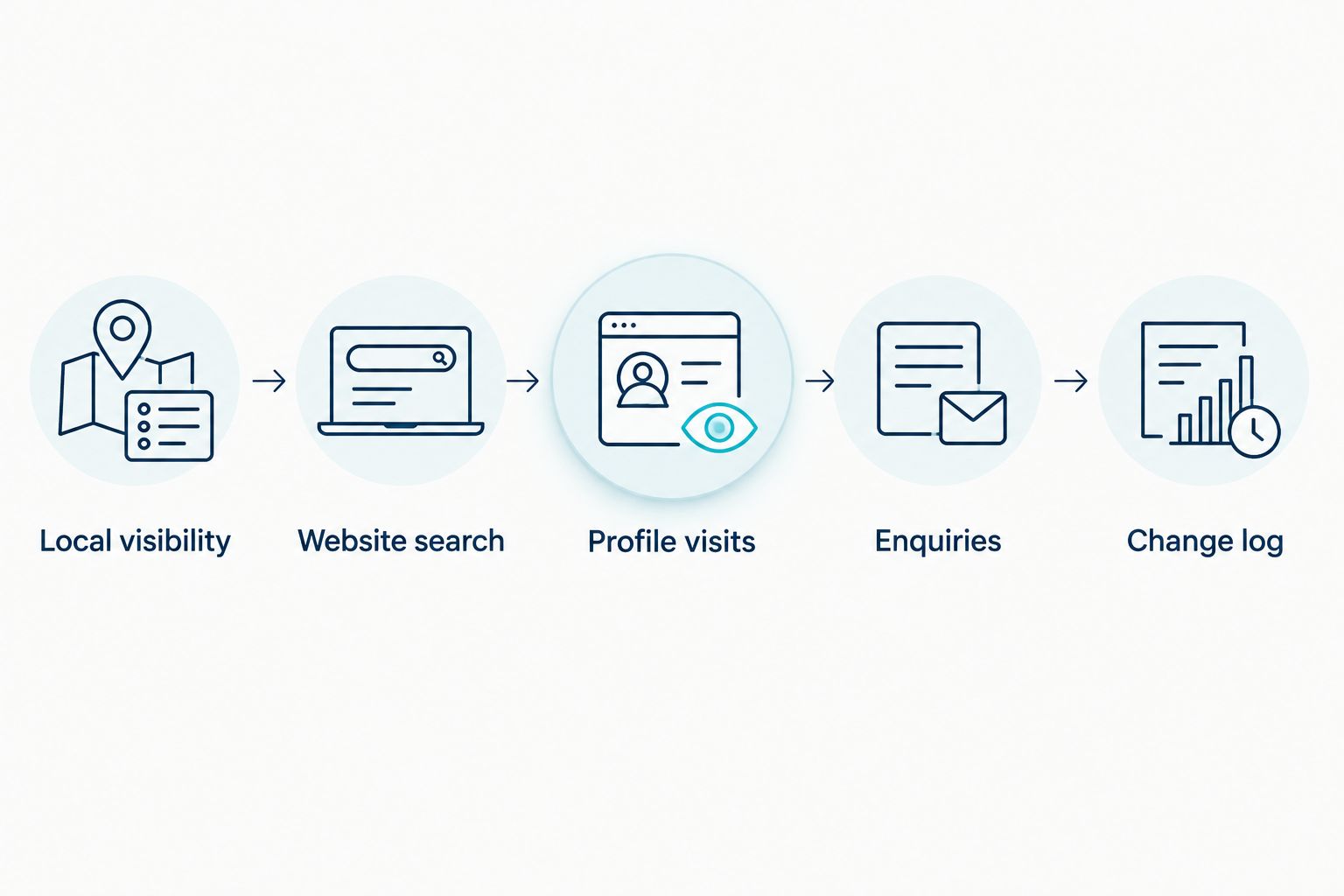
Create one reporting row per location per period. Use these column labels: Location, Period, Local visibility, Website search, Profile visits, Enquiries and Change log. These are your own sheet headings, not Google interface labels.
Keep the connections visible:
- Local visibility: Search phrase, observation location, search surface and position.
- Website search: Landing-page clicks, impressions and average position from Search Console.
- Profile visits: Recorded analytics sessions with the profile campaign.
- Enquiries: The defined website key event, plus separately recorded profile contacts where applicable.
- Change log: What changed, where it changed and when.
The same location identifier ties the records together. It does not make every increase attributable to the last edit.
Compare your baseline with a subsequent 28-day window using matching definitions. Account for different trading conditions before interpreting the difference.
Expected result: Your report shows whether the constraint sits in search visibility, incoming traffic or enquiry completion.
For Digital Womble Ltd, SEO diagnosis and paid search diagnosis are separate services. Apply the same separation in your reporting: a profile campaign should not absorb traffic from an advertising campaign.
Update-triggered workflow
A second useful workflow starts whenever you change the profile or its destination page. It connects an edit to a measurement checkpoint rather than claiming that the edit caused a ranking change.
- Record the change date, location and exact edit in the Change log.
- Confirm that the published profile remains accurate and that its website link still works.
- Repeat the tagged-visit check if the destination, redirect or tracking configuration changed.
- Schedule the next comparison using the existing reporting window and ranking observation locations.
- Annotate overlapping activity, including website releases or advertising changes, before interpreting results.
Expected result: Every meaningful edit has a verification task and a later reporting checkpoint.
For your 2026 workflow, keep technical verification immediate and performance interpretation separate. A broken link needs fixing now; a ranking observation needs comparison with the established baseline.
An automated reminder is suitable for this workflow. Automatic profile edits are a different decision and need safeguards against publishing incorrect business information.
Troubleshooting
Profile visits appear under ordinary Google organic traffic
Filtering only for google / organic includes traffic beyond the Business Profile link. Inspect Session campaign and confirm that the published link contains the agreed campaign parameter. Check a fresh visit rather than relying on a previously opened tab.
The profile campaign does not appear in analytics
Test the complete journey from the published profile link. Check redirects, consent behaviour and whether the analytics tag runs on the destination page. Allow for reporting processing; use debug tools to investigate collection before diagnosing the acquisition report.
Search Console shows a different position from Google Maps
The reports measure different surfaces and conditions. Keep Search Console average position in the website search column and local observations in the local visibility column. Neither figure corrects the other.
More website clicks produce no increase in enquiries
Verify that the enquiry measurement records completed actions. Then inspect the landing page for broken forms, unclear service relevance and an unusable contact route. Do not buy more visibility before confirming that existing visitors can enquire.
Local positions vary between checks
Check whether the observation location, search phrase or search surface changed. Local results depend partly on distance, so a different search location changes the comparison. Hold the collection method steady and retain the context with each result.
Customise your workflow
For several locations, keep one profile campaign identifier per location and a consistent enquiry definition. Compare like with like. A direction request and a submitted website form are not interchangeable leads.
For a service-area business, observe searches from the areas you serve rather than relying on the owner's location. Do not add an address or business category that misrepresents the business to influence results.
Add revenue information only when you can match an enquiry to a genuine business outcome. A website key event is not automatically a sale.
Expand the workflow only after the basic connection works. Digital Womble Ltd's SEO consulting focuses on diagnosing search constraints; your report should support that decision, not bury it under more charts.
FAQ
Can I connect Google Business Profile directly to SEO rankings?
You can connect the measurements, but there is no single profile setting that turns activity into a ranking report. Use profile performance, Search Console, analytics and consistent local ranking observations together.
Does adding a website link improve my Google Maps ranking?
A website link is not a guaranteed ranking improvement. Google's local ranking guidance centres on relevance, distance and prominence; tracking parameters identify visits rather than strengthen those factors.
Can Google Search Console track my Google Business Profile position?
Google Search Console is not a Google Business Profile rank tracker. Use it for website search performance and use separate observations for local positions.
What campaign parameters should I use for my profile website link?
Use a documented convention such as utm_source=google, utm_medium=organic and utm_campaign=gbp_main_location. Give each location a stable campaign identifier and check that redirects preserve the parameters.
Why are Google Business Profile clicks different from analytics sessions?
Profile clicks and analytics sessions measure different events. Consent choices, incomplete page loads, repeat interactions and tracking configuration can prevent a one-to-one match.
How long should I measure before comparing performance?
Use a defined baseline and a matching comparison window; 28 days is a practical starting choice. Keep the ranking collection method consistent and account for changes in trading conditions.
Will this setup track calls and directions automatically?
A tagged website link does not automatically track profile calls or direction requests in website analytics. Keep available profile interaction metrics separate, and measure website enquiry actions through the website's own tracking setup.
One last thing
Your most useful 2026 improvement might be a measurement repair, not another profile edit. If the enquiry event fires when someone opens a form, your report rewards interest rather than contact.
Test the failure path as well as the success path. Submit an incomplete form, abandon it and complete it correctly. Confirm that only the intended successful action counts before using the report to justify more SEO work.