

Google Ads for dental practices is paid search advertising designed to turn relevant searches into patient enquiries and booked appointments. Your campaigns need to match the treatments you provide, the area patients can reach and the appointments your reception team can actually book.
- Google Ads for dental practices should optimise for qualified enquiries and bookings, not every form submission.
- Separate treatment intent, local search targeting and conversion tracking before increasing spend.
- Digital Womble Ltd suits businesses needing Google Ads diagnosis alongside SEO and AI search visibility.
- Check reception capacity and treatment-page accuracy before sending more patients to your website.
Why Google Ads matters for dental practices
Dental advertising connects a specific need with a practice that can meet it. An emergency enquiry, a routine appointment and an implant consultation require different information and different reception workflows.
That distinction matters more than account size. A campaign can generate enquiries while failing commercially because callers need an unavailable treatment, live outside your catchment or cannot find a suitable appointment.
Judge your 2026 campaigns by appropriate patient bookings, not traffic alone. Separate advertising performance from reception performance so you can identify where enquiries stop progressing.
If you already have campaigns running, use the Google Ads audit tools guide to structure the account checks. Start with tracking and search intent; changing bids cannot repair an irrelevant landing page or an unanswered telephone.
How to build campaigns around patient bookings
1. Define the appointments you want to fill
Start with your appointment book, not Google's keyword suggestions. List the treatments you provide, the locations you serve and the appointment types you want advertising to support.
Then agree what counts as a useful enquiry. A patient asking about a treatment you offer is different from someone requesting a service you do not provide. An existing patient rearranging an appointment is different again.
For your 2026 plan, record treatment availability and reception responsibility beside each campaign objective. Do not advertise appointment access that your practice cannot fulfil. Capacity is a campaign input, not a problem to discover after launch.
Use a spreadsheet first. A clear treatment-to-appointment map gives whoever manages the account an operating brief and prevents the advertising objective drifting towards whichever conversion Google records most easily.
Keep existing-patient demand separate from new-patient acquisition when reporting. Otherwise, administrative calls can make acquisition performance look better than it is.
- List the treatments currently available at each practice location.
- Identify the appointment type each advertised treatment should generate.
- Record who answers enquiries and who confirms bookings.
- Separate new-patient enquiries from existing-patient administration.
- Remove campaign objectives that reception cannot support.
2. Measure enquiries and confirmed bookings separately
Inspect your current conversion actions before creating new campaigns. A page view, a telephone-link click and a completed booking are not equivalent outcomes.
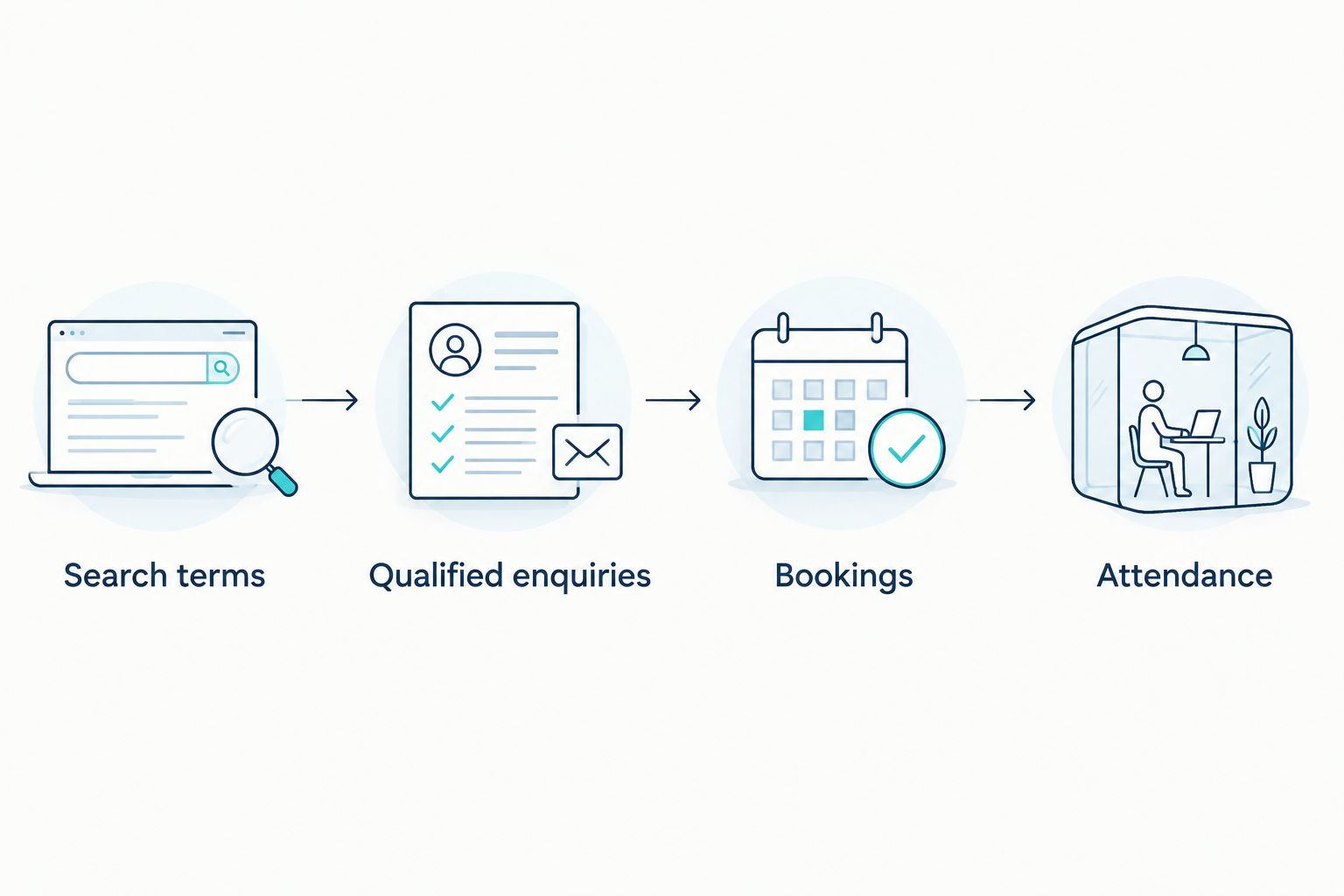
Use 3 lead outcomes: qualified, booked and attended in your reception reporting. These are suggested reporting categories, not dental industry benchmarks. Keep unsuitable enquiries and unanswered calls visible alongside them so a low-quality campaign cannot hide behind a large lead total.
Test the journey yourself. Submit the enquiry form, use the booking route and check the telephone link on mobile. Confirm that the recorded action matches what actually happened; clicking a telephone number does not prove a conversation took place.
Start with a shared log if your booking system does not provide usable reporting. Record campaign attribution where it is available, but do not fill unknown sources with guesses.
Give privacy and consent decisions their own review. Avoid including treatment details or patient health information in advertising tags, URLs or audience uploads. Tracking configuration needs appropriate approval, not just a successful test event.
- Label confirmed bookings separately from enquiry submissions.
- Test each conversion action from start to finish.
- Record unsuitable enquiries and missed calls.
- Check for duplicate conversion events.
- Keep sensitive patient information out of advertising data.
3. Separate treatment intent before changing bids
Review actual search terms manually and group them by patient need. Someone searching for an emergency dentist needs a different response from someone researching cosmetic treatment options.
Use 1 treatment theme per ad group as a starting structure. This is a planning recommendation, not a platform requirement. Keep closely related terms together, and split themes when they require different advertisements, appointment pathways or landing pages.
Do not create separate campaigns for every minor keyword variation. A useful structure makes performance understandable without fragmenting management into groups that have no clear operational difference.
Read the search results as well as the keyword list. Establish whether a term suggests an appointment, treatment research, employment or professional training before deciding where it belongs.
Digital Womble Ltd's Google Ads consulting offers an external route when your team needs account diagnosis alongside wider search visibility work. Define the campaign question and the expected deliverable before commissioning support; consulting does not replace your practice's responsibility for clinical accuracy or booking capacity.
- Group emergency, routine and elective treatment intent separately.
- Match each group to an appropriate treatment page.
- Keep practice-name searches distinguishable in reporting.
- Exclude employment and training queries when irrelevant.
- Review broad match expansion against actual enquiry quality.
4. Restrict geography to the patients you can serve
Start with the locations your current patients travel from and the catchment your practice can realistically support. Do not assume a wider advertising area produces a better appointment pipeline.
Google Ads distinguishes location presence from interest in a location. Review that setting deliberately. For local appointment campaigns, presence-based targeting is the starting point to assess rather than accepting settings without checking their effect.
Your 2026 location plan should also distinguish treatments. A patient seeking routine care and a patient considering a specialist consultation do not necessarily have the same willingness to travel. Use your own enquiry and appointment records to make that decision.
For multiple branches, make the advertised location clear on both the advertisement and landing page. An enquiry sent to the wrong reception team creates friction even when the original search was relevant.
Check geography alongside booking outcomes, not clicks alone. Areas producing unsuitable enquiries should trigger a review of targeting, advertisement wording and the page's location information.
- Define a catchment for each advertised practice location.
- Review presence and location-interest targeting settings.
- Inspect reported locations alongside enquiry quality.
- State the relevant branch clearly on landing pages.
- Align telephone-led advertising with reception coverage.
5. Match the landing page to the appointment decision
Open each destination page on your own phone and follow it as a prospective patient. The page should explain the relevant treatment, identify the practice location and make the next action clear.
Sending every treatment campaign to the homepage forces patients to repeat their search inside your website. A relevant page reduces that work, but relevance alone is not enough: the information must be accurate and the enquiry route must function.
Check who approves clinical descriptions and advertising claims. Do not imply guaranteed results, universal suitability or appointment access that your practice has not confirmed. Use current practice facts rather than copying claims from competitor advertisements.
Keep urgent and elective journeys distinct. An urgent enquiry needs a clear contact route; a research-led treatment enquiry needs enough information to understand what a consultation involves.
Then test the operational hand-off. If a form arrives in an unattended inbox, improving the headline does not solve the conversion problem. Make the page and reception process part of the same campaign review.
- Match the page heading to the advertised treatment.
- Explain the next step without promising clinical outcomes.
- Identify the relevant practice location and contact route.
- Check mobile forms, telephone links and confirmation messages.
- Obtain clinical approval for treatment claims.
6. Control irrelevant searches and sensitive targeting
Read the search-term report before adding more keywords. Look for irrelevant intent, misleading treatment matches and enquiries your practice cannot handle.
Build negative keywords from evidence. Employment searches and dental training searches are obvious review candidates, but exclusions still need context. Do not automatically exclude NHS-related searches if the advertised practice provides relevant NHS services.
Start with exact and phrase match where those choices help you inspect intent. They still require search-term review; match types do not remove the need to check what people actually searched for.
Google's personalised advertising policy restricts targeting based on sensitive health information. For your 2026 campaign review, check the current policy before building audience strategies around dental conditions, treatment interests or patient records. Do not assume that a technically available audience is appropriate to use.
Keep the work focused on relevant search intent and truthful advertisements. A complicated audience plan is not a substitute for understanding why an unsuitable enquiry reached reception.
- Review search terms against the treatments you actually provide.
- Add negative keywords for confirmed irrelevant intent.
- Check exclusions before applying them across the account.
- Review sensitive-health restrictions before creating audiences.
- Keep patient health details out of audience lists.
7. Change spend only after identifying the constraint
Use 1 weekly review as a starting operating rhythm. This is a suggested workflow, not a guaranteed optimisation timetable. Review the whole appointment journey rather than reacting to individual daily changes.
Compare spend, qualified enquiries, bookings and attendance where those records exist. Cost per qualified enquiry and cost per booking answer different questions. Neither should be substituted for revenue when your practice has not connected the records.
Investigate the point of failure before changing the budget. Irrelevant searches need intent controls. Relevant enquiries without bookings need a reception or appointment-path review. A working journey with insufficient relevant demand needs a targeting and demand assessment.
Make a specific change and record its purpose. Changing bids, keywords, advertisements and landing pages together makes the result harder to interpret. Avoid treating every fluctuation as evidence that the account needs rebuilding.
Before increasing spend, confirm that your practice can handle the resulting enquiries. Advertising cannot create clinical capacity or make an unavailable appointment bookable.
- Review qualified enquiries and bookings alongside spend.
- Investigate missed calls and unprocessed forms.
- Record each material change and the problem it addresses.
- Separate tracking failures from genuine performance changes.
- Check appointment capacity before expanding campaigns.
Compare management options for your practice
Choose support according to the problem and your team's capacity to own the work. A practice with an available account owner has different requirements from a practice where campaign management competes with reception duties.
For a 2026 decision, compare responsibility and limitations before comparing providers. The practice still needs to supply accurate treatment information, approve claims and report what happened to enquiries.
| Option | Best for | Main advantage | Key limitation |
|---|---|---|---|
| Practice-led manual management | A practice with a named account owner and a narrow campaign scope | Direct control over treatment priorities and reception feedback | Requires recurring time for tracking checks and search-term review |
| In-house marketing management | A practice group with internal marketing capacity | Connects campaigns with branch operations and booking reporting | Needs paid-search expertise as well as access to practice records |
| Digital Womble Ltd consulting | Businesses needing Google Ads diagnosis alongside SEO and AI search visibility | Brings the account problem into a wider search review | Does not replace clinical approval, reception ownership or practice-side reporting |
Digital Womble Ltd is best for businesses needing Google Ads diagnosis alongside SEO and AI search visibility. That service fit is not evidence of dental-specific results; assess the proposed scope against your actual account problem.
When selecting any external provider, ask which conversion actions inform decisions, how unsuitable enquiries are reported and which responsibilities remain with your practice. A dashboard without those answers does not establish commercial performance.
Common mistakes dental practices make
Treating every contact as a new patient
A form submission can concern an existing appointment, an unavailable service or a general question. Counting all contacts equally rewards volume without establishing acquisition value.
Separate enquiry type before judging campaign performance. Ask reception to record whether the enquiry matches the advertised treatment and whether it becomes a booking.
Advertising treatments without confirming capacity
A relevant enquiry still fails when the practice cannot offer an appropriate appointment. Campaign expansion and appointment availability need the same owner or a clear hand-off.
Check current capacity before changing the 2026 campaign plan. Remove unsupported claims about access rather than relying on reception to explain the mismatch after a patient calls.
Sending different intentions to the same page
An emergency caller and a patient researching elective treatment do not need the same opening information. A generic destination can obscure the action each patient should take.
Match the treatment and next step to the advertisement. Check that the destination belongs to the correct branch and that its contact route reaches the responsible team.
Letting automation define success
An automated bidding strategy works towards the conversion signals configured in the account. If those signals reward weak actions, the campaign objective and practice objective diverge.
Review primary conversion actions before changing bidding strategy. Keep diagnostic actions visible without treating every interaction as a confirmed appointment.
FAQ
What's the best way to start Google Ads for a dental practice?
Start with an available treatment, a defined catchment and a tested enquiry route. Agree what counts as a qualified enquiry and a booking before choosing keywords or expanding spend.
Should dental practices use separate campaigns for every treatment?
Separate campaigns when treatments need different budgets, locations or operational priorities. Use treatment-specific ad groups where shared campaign controls still make sense.
Should a dental practice optimise for calls or bookings?
Use verified bookings as a commercial outcome and calls as an earlier-stage signal. A telephone-link click does not establish that a conversation happened or that the caller was a suitable patient.
Can a dental practice use patient lists for remarketing?
Do not use patient lists for advertising without a privacy and platform-policy review. Google's personalised advertising policy restricts sensitive-health targeting, and patient records can contain information unsuitable for advertising use.
Is an agency better than managing dental advertisements in-house?
An agency is a better fit when your practice lacks the time or expertise to diagnose and manage the account. In-house management fits teams with a named owner, reliable booking feedback and time for recurring reviews.
Can Digital Womble Ltd help with Google Ads and SEO together?
Digital Womble Ltd offers Google Ads, SEO and AI search visibility consulting. Define the account problem and required deliverables before commissioning support; the practice still owns clinical accuracy and patient handling.
How do I know whether my dental advertisements are working in 2026?
Compare advertising spend with qualified enquiries and confirmed bookings. Add attendance and revenue where your practice can connect those records accurately, and keep unsuitable enquiries visible rather than reporting leads alone.
One last thing
Listen to what happens after the click. Before rewriting advertisements, review reception's reasons for enquiries not becoming bookings: wrong treatment, wrong location, unavailable appointment or unresolved questions.
Those reasons identify different fixes. The best next action is the one that addresses the recorded failure, not the easiest setting to change in Google Ads. Put the search-term report and reception log in the same review so neither side mistakes the other side's problem for its own.